Czech Flag Demo
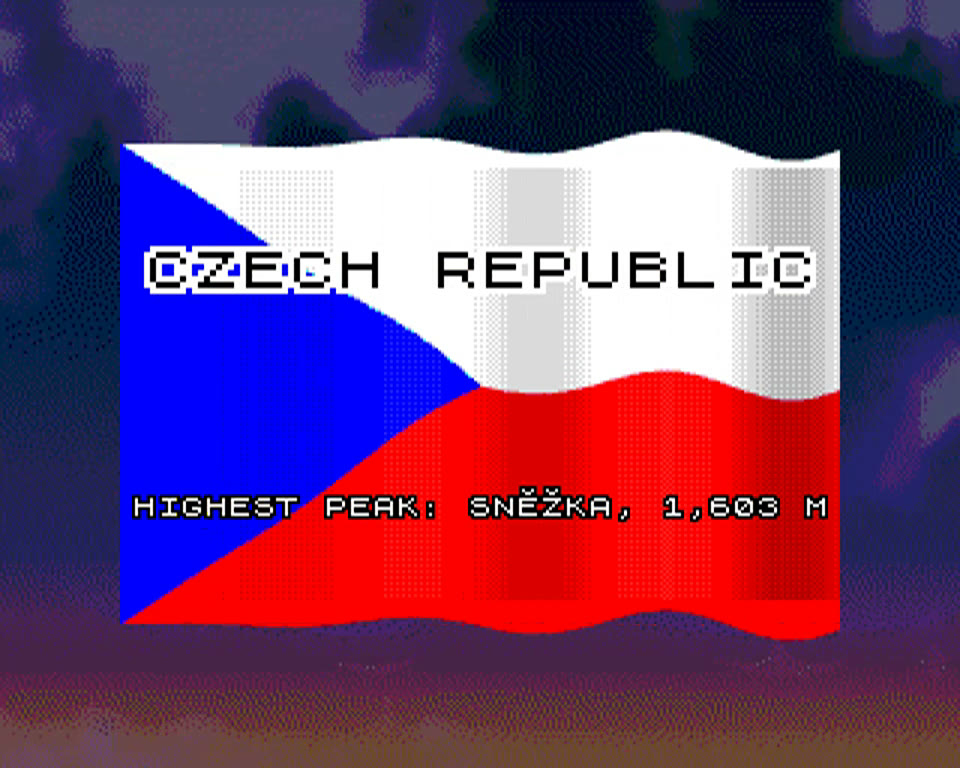
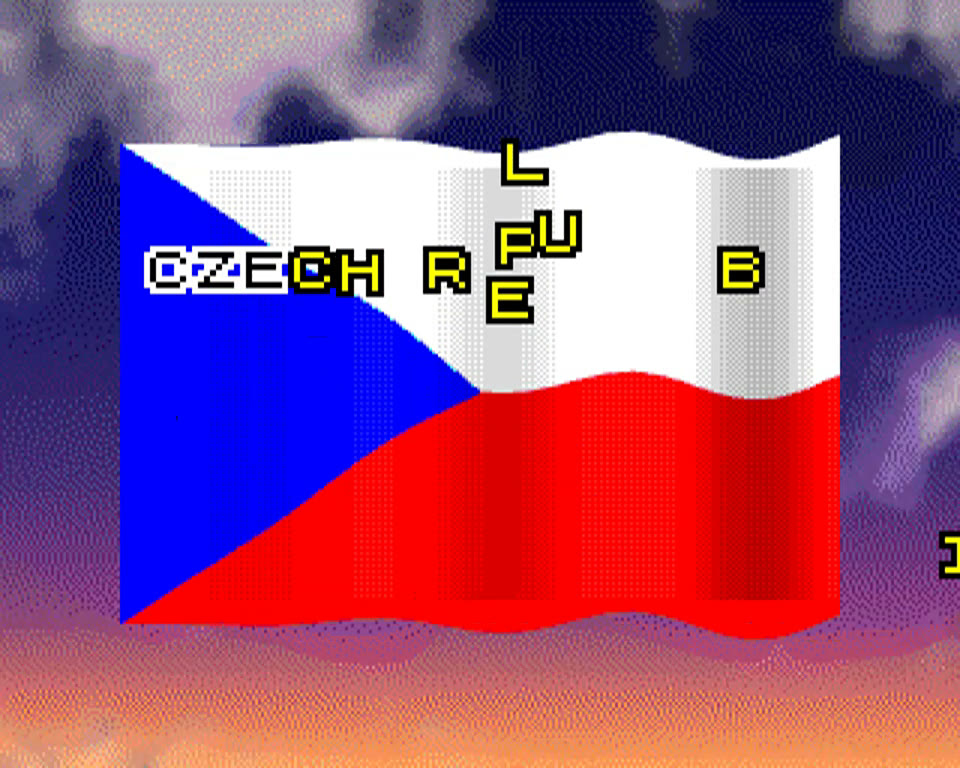
A waving Czech flag with the national anthem, made as a small showcase of what the Next's hardware can do: full-screen Layer 2 graphics, hardware sprites, tilemap blending and three AY sound chips, all driven from Boriel ZX BASIC with a few Z80 assembly routines for the time-critical parts.
Waving, anti-aliased flag
240×160 flag on Layer 2 320×256 with quarter-pixel edges. Every column moves on a sine wave, redrawn by a Z80 routine in the bottom border and blanking gap at 50 Hz, touching only pixels near colour boundaries.
Anthem on three AY chips
“Kde domov můj” via TurboSound: melody with envelope, vibrato, portamento, sub-octave and echo on the first AY, bass/tenor/alto accompaniment on the second, chorus on the third.
Sky from dusk to night
Pre-rendered sky with clouds in 48 colours from a 9-bit palette. During the anthem the palette shifts in eight steps from dusk into night.
Wave shading
A 40×32 tilemap over the flag carries a shade per column according to the wave height, mixed with Layer 2 in the S(L+U-5) blend mode.
Flying sprite text
Each letter is a 16×16 hardware sprite with a 1-px outline and Czech diacritics. The title and 22 rotating facts about the Czech Republic (in English, made for exhibitions) fly in from the screen edges.
Boriel ZX BASIC + Z80
Written in Boriel ZX BASIC; the wave, sprite movement and sound run as inline Z80 assembly so everything fits into the blanking gap. CPU at 28 MHz.
Controls
| SPACE | Pause / resume the anthem |
|---|---|
| R | Play the anthem again from the start (after it finishes, the hint “PRESS R TO REPLAY THE ANTHEM” appears) |
Download
- czech_flag/czech_flag.nex49 KB · the program (NEX V1.1, 768K)
- czech_flag/czech_flag.sky80 KB · sky image, five Layer 2 banks, loaded at start
czech_flag.sky next to itself and then in /czech_flag/ on the SD card. Without it the demo still runs, but the sky stays black.
How to Run
Requires a ZX Spectrum Next (or a compatible clone) running NextZXOS with a core that supports the 320×256 Layer 2 mode (core 3.x). Base 768 KB RAM is enough.
On a real ZX Spectrum Next
Unpack the archive onto the SD card
Copy the whole czech_flag folder with both files to the root of the Next's SD card, so you end up with /czech_flag/czech_flag.nex and /czech_flag/czech_flag.sky.
Start it from the Browser
Boot into NextZXOS, open the Browser, enter the czech_flag folder, select czech_flag.nex and press Enter. The anthem starts right away, letters fly in and the sky slowly darkens.
In an emulator
Copy the files to the emulated SD card
Put both files into a czech_flag folder on the SD image or the folder your emulator exposes as the card. For an .hdv/.img image this can be done with mtools (FAT partition offset 32256 on the standard 2 GB image):
mcopy -i "cspect-next-2gb.hdv@@32256" czech_flag/czech_flag.nex czech_flag/czech_flag.sky ::/czech_flag/Boot and run
Start the emulator with the image attached and launch czech_flag.nex from the Browser as on real hardware. The demo was developed and recorded in MAME:
mame specnext_ks3 -noautosave -window -hard1 cspect-next-2gb.hdvCSpect and ZEsarUX with NextZXOS on the mounted card work the same way.
Built with Boriel ZX BASIC (zxbc --arch=zxnext) and packed with a small NEX builder. Hardware details: SpecNext Wiki.